


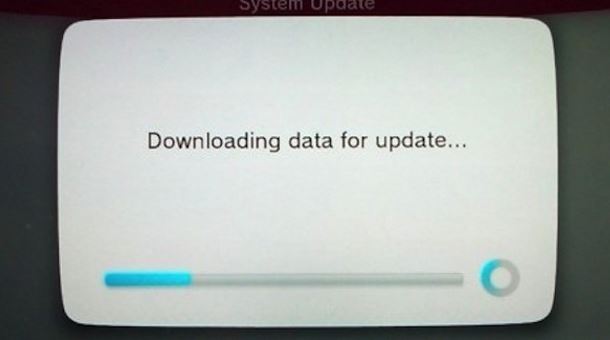
Aggiornamento disponibile per Nintendo Wii U
Ci siamo! Il tanto atteso aggiornamento che riduce i tempi di caricamento della console è ora disponibile al download! Ovviamente questa è solo una prima parte, poiché in estate ne verrà rilasciato un altro. Ma in questo aggiornamento, oltre a velocizzarsi la console, è bene segnalare altre interessanti feature, come:
- possibilità di scaricare ed installare con la console in standby;
- Miiverse e il browser per Internet potranno essere controllati anche tramite altri Wii U e pad;
- possibilità di collegare due memorie USB e trasferire dati tra loro.
Vi lasciamo all’elenco completo, in lingua Inglese, del corposo aggiornamento:
Versione 3.0.0 U:
New Features:
- A standby function to download and install software while the system is powered off
- Software purchased from the Nintendo eShop will automatically install in the background once the download is complete
- Holding down the B Button while the Wii U logo is displayed during startup will load the Wii Menu *¹
Changes to System Settings:
- An option to transfer and/or copy between two USB storage devices in “Data Management”
- To facilitate this feature, you will now be able to connect two USB storage devices to a single Wii U console*²
- The ability to select multiple software titles when transferring, copying, or deleting data in “Data Management”
- The option to adjust screen size is now available under “TV” *³
- “Auto Power-Down” has been renamed “Power Settings”
- Options for the standby function are located within this menu
Changes to Miiverse:
- Added support for the Wii Remote, Wii U Pro Controller, and Classic Controller
- Handwritten posts will now also display on the TV screen during creation
- “Undo” and “Redo” buttons are now available when creating a handwritten post
- Removed screen size setting. This option can now be adjusted from System Settings
Changes to Nintendo eShop:
- Software downloaded from the Nintendo eShop will include released updates and will no longer need to be updated after installation
- Removed screen size setting. This option can now be adjusted from System Settings
Changes to the Internet Browser:
- Added support for the Wii Remote and Wii U Pro Controller
- Added the option to change search engines when performing a keyword search
- Added the option to return to the start page from the bookmark menu
- Removed screen size setting. This option can now be adjusted from System Settings
Changes to Download Management:
- Added the option to change the priority of downloads
Improvements to system stability and usability:
- Further improvements to overall system stability and other minor adjustments have been made to enhance the user experience
- *¹ User selection may be necessary
- *² Only one USB storage device can be used during normal use
- *³ A similar option has been removed from Nintendo eShop, Miiverse, and the Internet Browser